
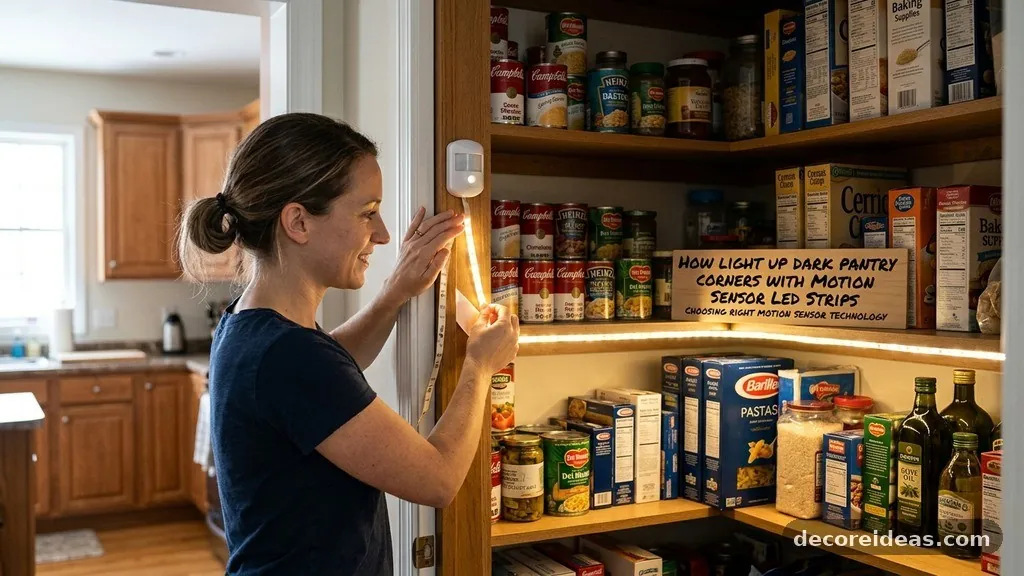
How to Light Up Dark Pantry Corners with Motion Sensor LED Strips
Lighting up dark pantry corners with motion sensor LED strips is an effective way to improve visibility and accessibility in your kitchen storage. By automating the illumination process, you ensure that every shelf is visible the moment you open the door, saving time and reducing clutter.
This project is surprisingly straightforward, even for those with limited DIY experience, as most systems require no permanent electrical work. You will learn how to choose, install, and maintain these lights to get the best results in your home.
Choosing the Right Motion Sensor Technology
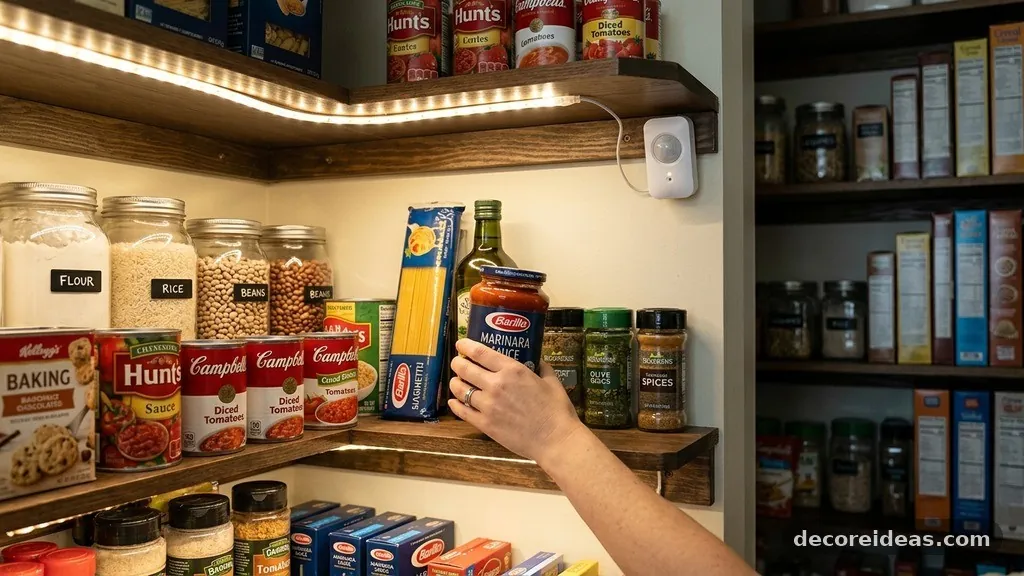
When you start the process of lighting up dark pantry corners with motion sensor LED strips, the sensor type is the most critical decision. Passive Infrared (PIR) sensors are the industry standard for these applications. They detect the heat signature of a moving person, which makes them ideal for pantry environments where you want the light to trigger as soon as you reach inside.
Another option is ultrasonic sensors, which use sound waves to detect movement. These are generally overkill for a small pantry and can sometimes be triggered by drafts or small vibrations.
Stick to PIR sensors for their reliability and low power consumption. Most modern kits allow you to adjust the sensitivity, which is helpful if your pantry door is close to a high-traffic area.
Battery-operated units are the most popular choice for retrofitting existing pantries. They allow you to place the light anywhere without worrying about proximity to a wall outlet.
If you have a plug nearby, USB-powered strips are a better choice because they eliminate the need to replace batteries. Always check the sensor’s range to ensure it covers the entire depth of your corner shelves.
Planning Your Layout and Placement
Success depends on where you position your strips. You want to avoid placing the LED strip directly in your line of sight, as the light can be harsh and create glare.
Instead, tuck the strips under the front edge of your shelves or along the vertical corner frame. This creates a soft, indirect glow that highlights the contents without blinding you.
Consider the depth of your pantry shelves when mapping out the installation. If you have deep corners, a single strip at the top may not be enough to illuminate the back.
You might need to run individual strips along the underside of each shelf. This provides full coverage, ensuring you can see labels and expiration dates clearly.
Before peeling off any adhesive backing, test the sensor placement. The sensor needs a clear line of sight to the door opening.
If the sensor is blocked by a box of cereal or a large jar, it won’t trigger when you enter. Use masking tape to hold the components in place temporarily while you verify that the motion detection works from various angles.
Battery-Operated vs. Hardwired Systems
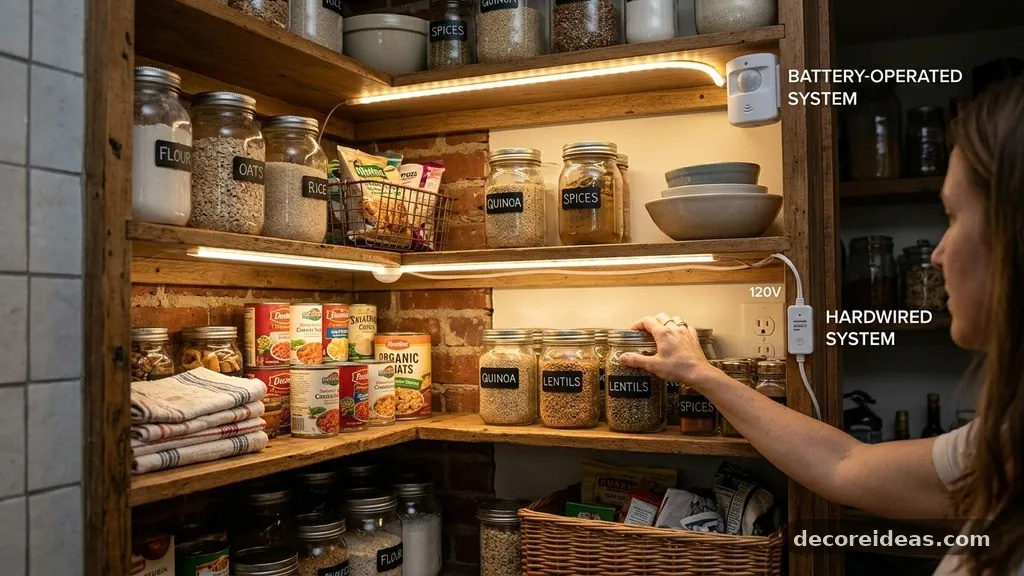
Deciding between power sources depends on your comfort level with electrical work and the layout of your kitchen. Wireless, battery-operated systems are the easiest to install.
You simply peel, stick, and turn them on. These systems are perfect for renters or those who want a quick, clean install without running wires through walls.
Hardwired or plug-in systems offer more longevity and brightness. If you are comfortable with basic electrical safety, a plug-in LED strip can be hidden behind pantry trim.
You can find more information on electrical safety and standards through the National Fire Sprinkler Association for general home safety guidelines regarding wiring and heat sources. These systems often provide a more consistent light output over time.
Comparing Power Options
| Feature | Battery-Operated | Plug-In / USB |
|---|---|---|
| Installation Ease | Very High | Moderate |
| Maintenance | High (Battery changes) | Low (Plug and play) |
| Brightness | Variable | Consistent |
| Cost | Low entry cost | Higher initial cost |
Surface Preparation and Adhesive Tips
The most common reason for LED strips failing is poor surface preparation. Pantry shelves are often made of laminate, wood, or wire, all of which collect dust and grease over time.
If you apply the adhesive strip to a dirty surface, it will eventually peel off. Start by wiping the area down with isopropyl alcohol to remove any residual grime.
Allow the surface to dry completely before applying the strip. Many LED kits come with adhesive backing that is strong but not permanent.
If you are mounting on a rough wooden surface, consider using small plastic clips or a dab of clear silicone adhesive to reinforce the strip. This prevents the weight of the cable from pulling the light down over time.
Do not stretch the strip as you apply it. Most LED strips are flexible, but pulling them too tightly can damage the internal copper circuits.
Press firmly along the entire length of the strip to ensure maximum contact with the surface. If you are working in a corner, use corner connectors rather than bending the strip at a 90-degree angle, which can break the connection.
Selecting the Correct Color Temperature
The color of the light significantly affects how you perceive your food items. You should aim for a color temperature between 3000K and 4000K for a pantry.
This range provides a clean, neutral white light that makes it easy to read labels and check for freshness. Avoid “cool blue” lights, which can make a pantry feel sterile and clinical.
Warm white lights, around 2700K, are cozy but might be too yellow for reading fine print on ingredient lists. If your pantry is integrated into a modern kitchen, 4000K provides a crisp, daylight-like appearance. Consistency is key, so try to match the color temperature of your pantry lights with the existing lighting in your kitchen.
Some smart LED strips allow you to change the color via an app, but this is usually unnecessary for a pantry. Stick to a fixed, high-quality white light to keep the installation simple and reliable. You want the light to turn on and be functional immediately, without needing to fiddle with settings or smartphone connections.
Managing Cables and Hidden Wiring
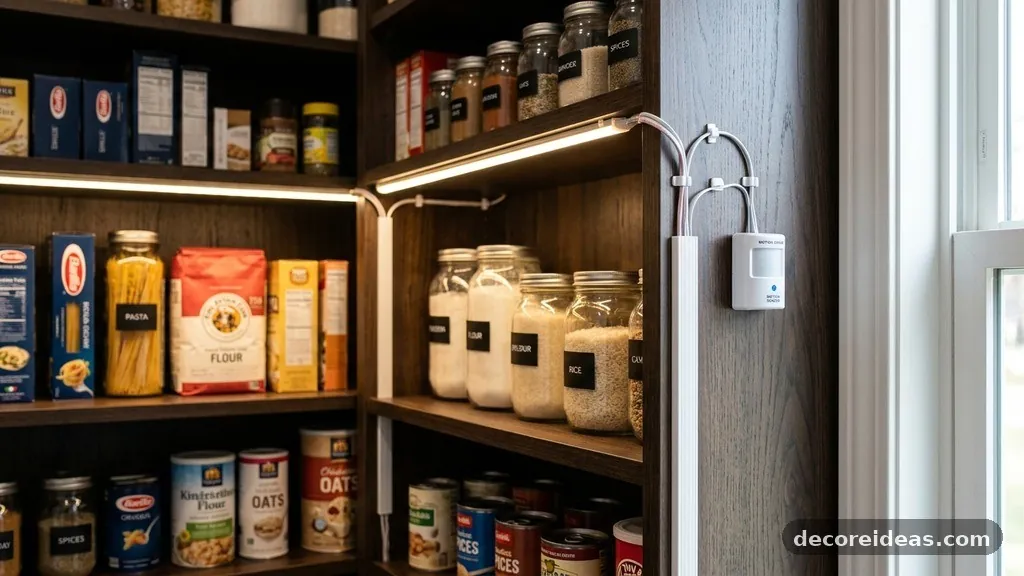
Exposed wires can make your pantry look cluttered and may even get snagged on food items. Use adhesive cable clips to secure any slack in the wiring along the back corners of the pantry. If you are using a battery pack, mount it in a discrete location, such as the inside wall near the door frame, where it is out of the way but easy to reach for battery changes.
If you have multiple shelves, you will likely need connector cables to link the strips. These small ribbon cables are thin and easy to hide under trim or behind shelf supports.
Keep the cables as short as possible to reduce the risk of them getting caught. If you have extra wire, coil it neatly and secure it with a cable tie behind the shelf edge.
Think about the path from the power source to the first light strip. If you are using a battery pack, keep it as close to the top shelf as possible to minimize the length of wire running down the wall. This keeps the pantry interior feeling clean and organized, which is the primary goal of adding extra illumination.
Sensor Sensitivity and Range Adjustments
A motion sensor that is too sensitive can be a nuisance. If your pantry is located in a high-traffic area, the light might turn on every time you walk past the door.
Most quality sensors have a dial or switch to adjust the sensitivity. Start at the lowest setting and increase it until you find the perfect balance for your space.
The detection angle is just as important as the sensitivity. If the sensor is pointing towards the middle of the room, it will trigger whenever you move through the kitchen.
You can use a small piece of electrical tape to mask off part of the sensor lens, effectively narrowing its field of view. This forces the sensor to only detect movement when you are directly in front of the open door.
Test the timeout setting, which controls how long the light stays on after movement stops. A 30-second to 1-minute timeout is usually sufficient for a pantry.
If the light turns off while you are still searching for an item, increase the duration. If it stays on for too long, you will waste battery life and increase the frequency of maintenance.
Troubleshooting Common Installation Issues
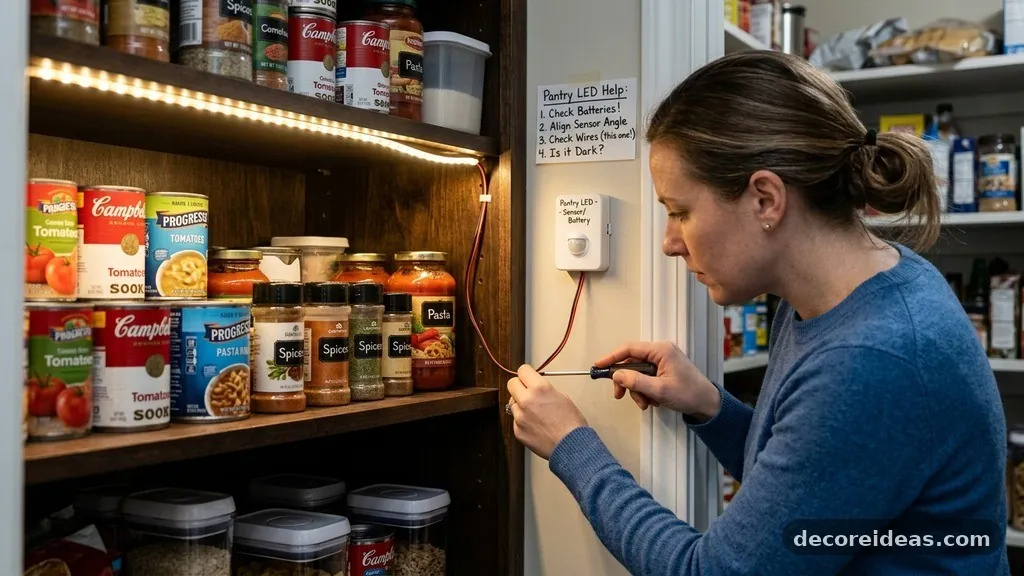
Even with careful planning, you might encounter issues. If the light strip does not turn on, check the battery orientation first.
It sounds simple, but it is a common mistake. If the batteries are fresh, ensure the sensor is not being blocked by a shelf or a large container.
Flickering lights are almost always a sign of a bad connection or low power. If you are using a battery-operated system, replace the batteries with a fresh set.
If the flickering persists, check the connectors between the strips. A loose connection can cause the voltage to drop, leading to erratic behavior or dimming.
If the adhesive fails, do not try to re-stick the same strip. Clean the area again and use a fresh piece of double-sided mounting tape.
For permanent, long-term adhesion, a small amount of liquid adhesive or mechanical clips are always better than the factory-provided backing. Most issues can be resolved with a few minutes of inspection and minor adjustments.
Enhancing Pantry Organization with Light
Once you have successfully installed your motion sensor LED strips, you will notice a significant improvement in your organization. Proper lighting makes it much easier to group items by category, such as baking supplies, canned goods, or snacks. You are less likely to buy duplicates because you can finally see everything tucked away in the back corners.
Use the new visibility to audit your pantry contents. Clear bins and labels look much better under the bright, even light of LED strips.
You will find that you spend less time searching for ingredients, which helps keep the kitchen running smoothly. The lighting essentially acts as a nudge to keep your storage space tidy and accessible.
Consider adding light-colored shelf liners to reflect the light better. This spreads the illumination more evenly throughout the pantry.
A well-lit pantry is not just a luxury; it is a functional upgrade that changes how you interact with your kitchen space. You will find that you are more likely to keep your pantry organized when you can actually see the results of your efforts.
Frequently Asked Questions
How do I know if a motion sensor light is compatible with my pantry door?
Most motion sensor lights are universal. As long as you have a flat surface to mount the sensor and the strip, it will work. The main constraint is the range of the sensor, so ensure it is positioned to “see” the door opening clearly.
Can I use these lights in a pantry that has no power outlet?
Yes, battery-operated LED strips are designed specifically for this purpose. They are wireless and can be installed anywhere. Just ensure you choose a model with a good battery life or use rechargeable batteries to minimize waste.
Will the adhesive damage my pantry shelves?
Most LED strips use a moderate-strength adhesive that is safe for laminate and finished wood. However, always test a small, inconspicuous area first. If you are worried, you can use Command-style adhesive strips or small mounting clips that do not require permanent glue.
How often will I need to change the batteries?
This depends on your usage and the type of batteries. With typical pantry use, a high-quality set of alkaline batteries usually lasts several months. If you find yourself changing them too often, consider switching to a USB-rechargeable model.
Can I connect multiple LED strips together?
Yes, most LED strip systems are modular. You can use extension cables or corner connectors to link multiple strips together. Just ensure your power source, whether battery or plug-in, has enough capacity to power the total length of the strips you are connecting.
Final Thoughts on Pantry Illumination
Lighting up dark pantry corners with motion sensor LED strips is a high-impact, low-effort project that transforms your kitchen experience. By focusing on quality sensors, proper surface preparation, and smart placement, you ensure that your pantry remains bright and functional for years to come. You no longer have to rely on overhead kitchen lights that cast shadows exactly where you need to see.
Start by measuring your space and selecting a system that fits your specific power and mounting needs. Once the installation is complete, you will wonder how you ever managed without it.
If you have any remaining questions about specific hardware or need help troubleshooting a unique shelf layout, feel free to reach out or consult your local home improvement store for specific product recommendations. Enjoy your newly bright and efficient pantry space.